
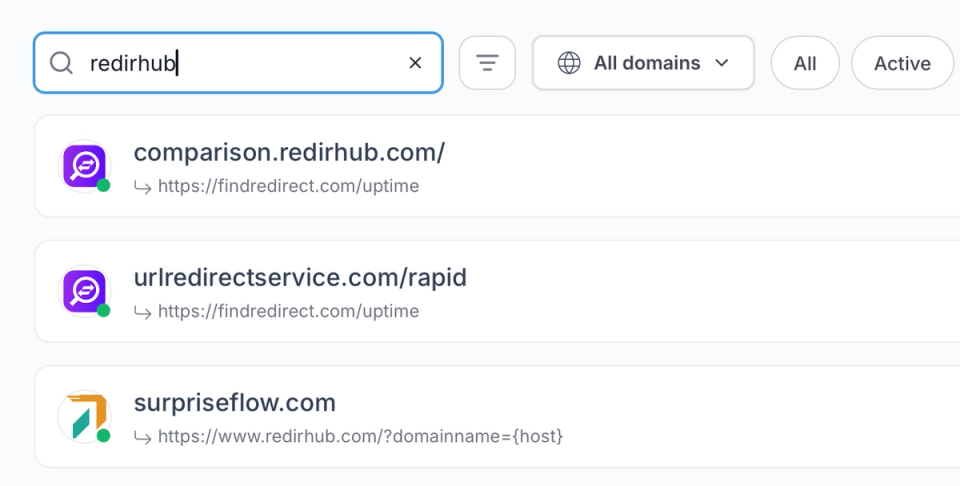
When you're managing redirects across multiple domains and campaigns, the ability to find what you need in seconds matters more than you'd think.
- Global search: Find any redirect by source URL, destination, tag, or domain — across your entire account.
- Smart filters: Narrow by status, redirect type, domain, or creation date to surface exactly what you need.
- Tag-based organization: Group redirects by project, campaign, or team — and filter down to just that group in one click.
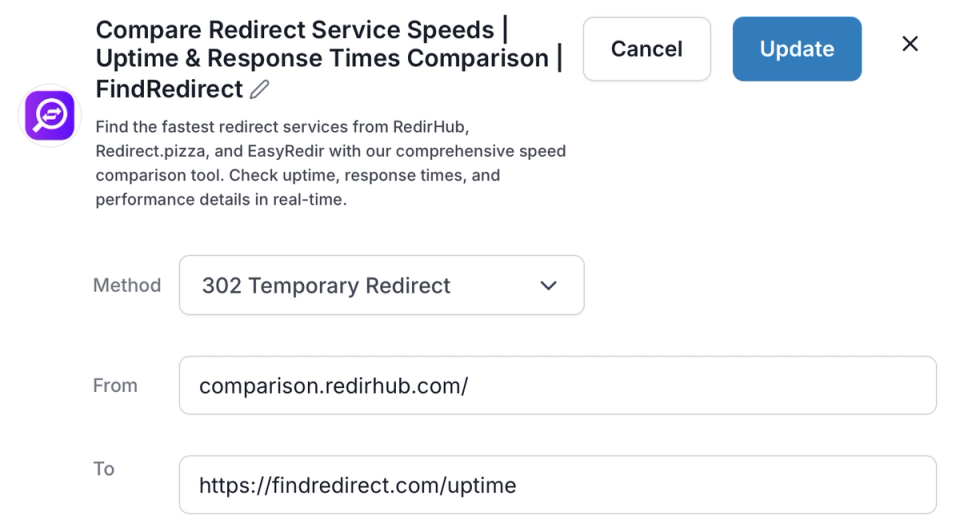
Change a destination URL, swap a redirect type, or kill a campaign link — it's live worldwide the moment you save.
- Change destination anytime: Update where any redirect points without disrupting the source URL or losing traffic.
- Enable or disable instantly: Pause or reactivate redirects in one click — for seasonal campaigns, maintenance windows, or quick rollbacks.
- No server access needed: Every update happens in the dashboard — no config files, no SSH, no waiting on IT.
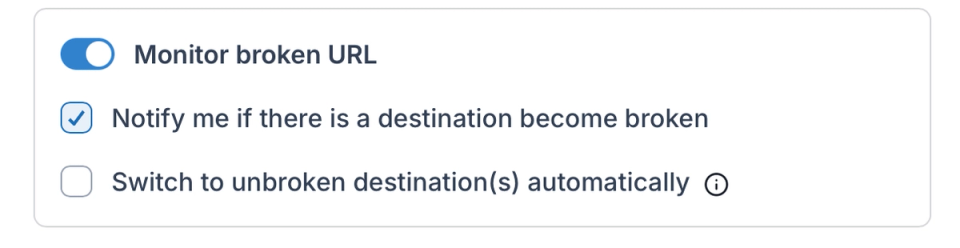
A redirect pointing to a dead page fails silently. Automated destination monitoring alerts you when something breaks — before it becomes a support ticket.
- Destination health checks: Automated checks alert you when a destination URL goes down or starts returning errors.
- Fallback destinations: Set a backup URL for any redirect — traffic is caught automatically if the primary destination fails.
- Error visibility: See which redirects are returning errors directly in your dashboard — no manual spot-checking required.
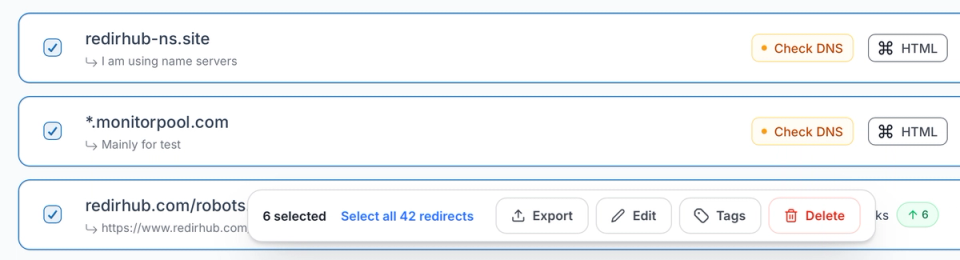
When you need to act on dozens or hundreds of redirects at once, batch edits and mass actions cut the work down to seconds.
- Batch updates: Modify destinations, types, or tags across multiple redirects in a single operation.
- Mass actions: Enable, disable, retag, or delete multiple redirects at once — no one-by-one clicking.
- CSV export: Download your full redirect inventory at any time for audits, client reporting, or migration handoffs.
Why Our Customers Love RedirHub

We've used RedirHub for several years and find it excellent. The 'entry level' is FoC and allows users to test the features (free forever) before deciding if to upgrade to a paid service. Technically, it works very well, great support from Kris & his team, and highly recommended.

David
Read more→It works like a charm, redirecting domain names with SSL is a huge pain. I have to do it frequently, often at mass and it was hours of work. Now it is few clicks.

Zsolt Bikadi
Virtua Drug • CSO


Frequently asked questions