
Marketers don't need admin access. Developers don't need to approve every campaign link. Role-based permissions let each person do their job without stepping on anyone else's.
- Role-based permissions: Define what each team member can see and change — full admin, edit access, or view-only.
- Granular domain control: Restrict access at the domain level — a team managing one brand has no visibility into another.
- Unlimited team members: Invite your entire team without per-seat pricing penalties scaling against you.
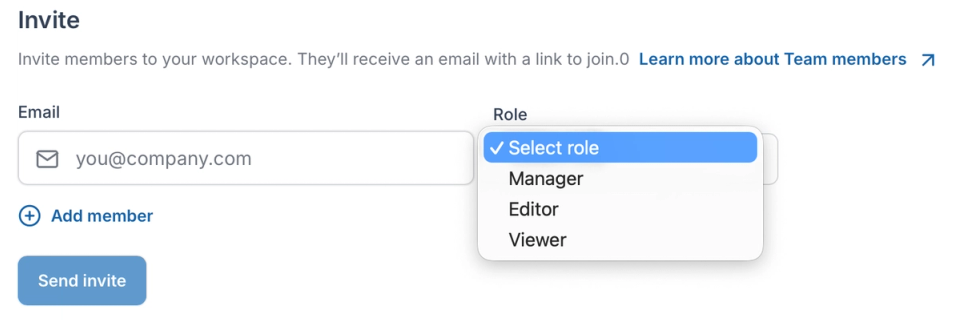
Every time marketing waits on IT to create a redirect, campaign momentum is lost. The right access model lets each team move independently — without risk.
- Self-serve for non-technical teams: Marketers and campaign managers create and update redirects themselves — no tickets, no waiting on developers.
- No shared credentials: Every team member logs in with their own account — access is individual, traceable, and revocable instantly.
- SSO support: Connect RedirHub to your identity provider for centralized access management across your organization.
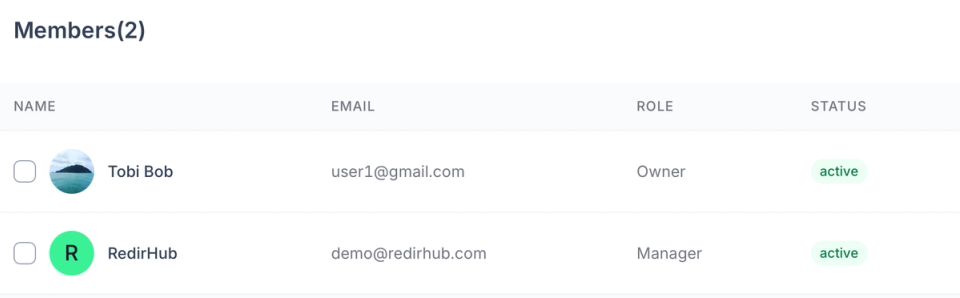
Managing redirects for multiple clients or brands from one account — with clean separation between each.
- Per-domain organization: Redirects are organized by domain so each team or client sees only what is relevant to them.
- Centralized oversight: One account to manage everything — delegate to teams while keeping full visibility at the top level.
- Instant access revocation: Remove a team member's access immediately when needed — their changes remain, their access does not.
Why Our Customers Love RedirHub

We've used RedirHub for several years and find it excellent. The 'entry level' is FoC and allows users to test the features (free forever) before deciding if to upgrade to a paid service. Technically, it works very well, great support from Kris & his team, and highly recommended.

David
Read more→It works like a charm, redirecting domain names with SSL is a huge pain. I have to do it frequently, often at mass and it was hours of work. Now it is few clicks.

Zsolt Bikadi
Virtua Drug • CSO


Frequently asked questions